
 Cartridges for printers
 Labels, stickers, label tapes
 Printers
 Office supplies
 Office equipment
 Back2School
 Coffee
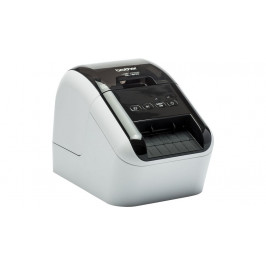

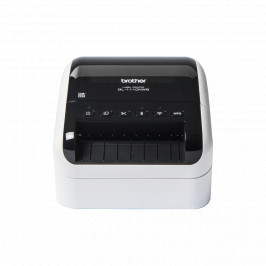
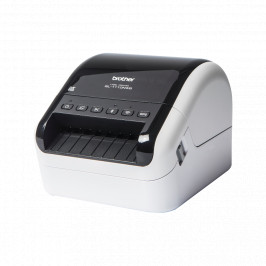
Label printer with USB connection for PC and Mac, prints black and red text. Print labels up to 62 mm wide in black and red without using ink or dye.
| Delivery | Price | Quantity | |
|---|---|---|---|
| 1 - 2 d.d. |
107.33 €
|
5 | |
| 1 - 2 weeks |
107.33 €
|
3 |
| Image | Product name | Price | |
|---|---|---|---|

|
7.41 € | ||
|
7.41 €
|
|||

|
7.71 € | ||
|
7.71 €
|
|||

|
7.09 € | ||
|
7.09 €
|
|||

|
6.85 € | ||
|
6.85 €
|
|||

|
6.87 € | ||
|
6.87 €
|
|||

|
20.15 € | ||
|
20.15 €
|
|||

|
5.60 € | ||
|
5.60 €
|
|||

|
9.28 € | ||
|
9.28 €
|
|||

Quickly print labels from your PC or Mac with this high-speed label printer. The built-in P-touch Editor Lite label creation software is very easy to use - just plug in your PC, press the symbol to launch the software and create and print your labels. Or use the advanced P-touch Editor label creation software for barcodes, images and other features.
You'll also be able to produce black and red labels without using ink or dye - perfect for highlighting important information on the label.
Using one of the continuous label rollers, cut your labels to the size you need, up to one metre in length, using the built-in cutter.
The QL-800 is the perfect choice for office workers who need a reliable and fast address label printer.
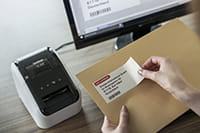 |
The easy-to-use label printer This advanced label printer is easy to set up and use and is designed for busy offices. With USB connectivity technology, simply plug in your PC or Mac and run the built-in software. You won't need to install any printer drivers. For more labelling options, download the free P-touch Editor label creation software and printer drivers to create and print labels with text, frames, barcodes and images. |
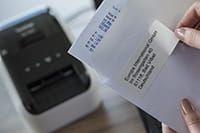 |
Click and print from Microsoft Word/Excel/Outlook The P-touch Editor Microsoft Office add-in (Windows only) allows you to print labels with information you use every day with one click. Highlight your text, press the attachment and the label will be printed. You can also transfer your text saved in Excel or .csv documents to P-touch Editor to customise your label layout, allowing you to print many labels in the same format (design). |
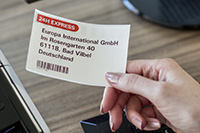 |
Printing in black and red without ink Brother DK label rollers are designed for the preparation of regular labels of fixed dimensions or continuous length labels - the built-in cutter cuts the label to the length you need (up to one metre). You can also draw attention to important information by highlighting it in red on the label. Perfect for highlighting expiry dates, allergens and other important information. *Requires DK-22251 roll |
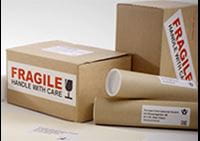 |
A wide choice of labels for different needs The QL series label printers use Brother DK rolls - easy-to-install rolls that allow you to change labels quickly. Several types of rollers are available: - Adhesive paper and plastic film-coated labels of the specified dimensions. - Continuous length self-adhesive paper and plastic film-coated labels that can be cut to your desired length (up to 1 metre). - Non-adhesive cards ideal for receipts and name cards. - Adhesive labels that can be removed and reapplied. |
Label printer with USB connection for PC and Mac, prints black and red text. Print labels up to 62 mm wide in black and red without using ink or dye.
 Greitosios parengties vadovas
 Atsisiuntimai